Verifying the installation
To check that the servlet runs properly, select the ServletTest servlet from the ServletTest project in the project navigator and select “Run As => Run on Server” from the context menu (Note: make sure to execute “Run on Server” on the servlet, not on the project – otherwise the URL which is opened in the browser does not refer to the servlet, but to the web content root directory):
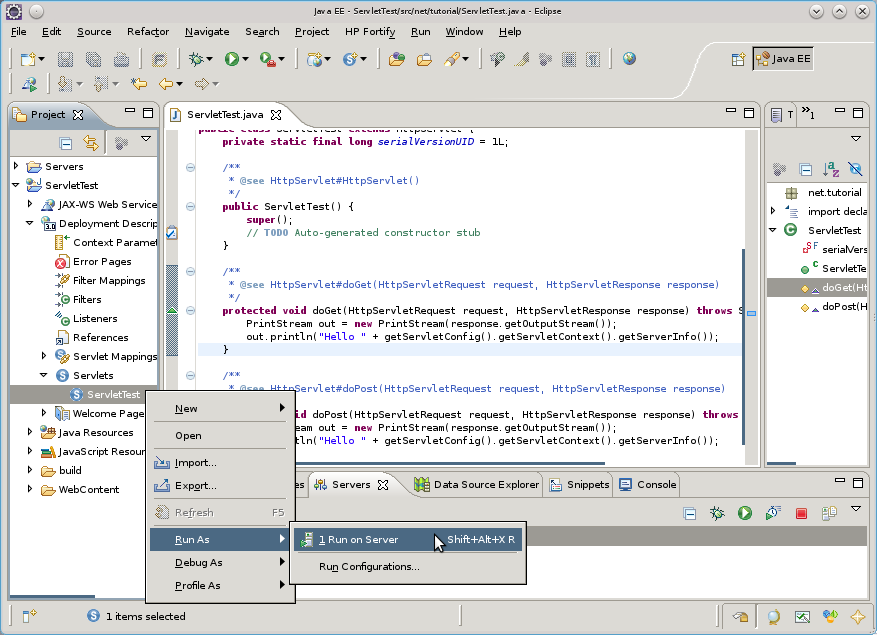
The following dialog appears where the server which shall execute the servlet can be chosen. Lets try out Tomcat first:
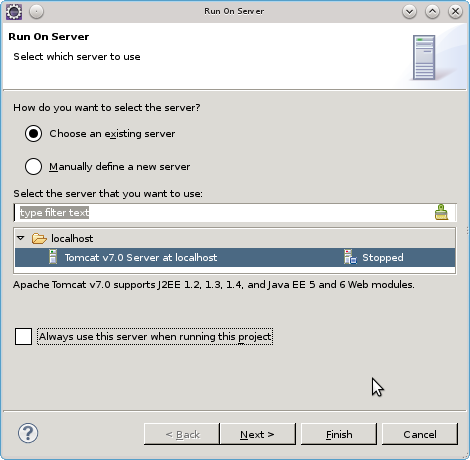
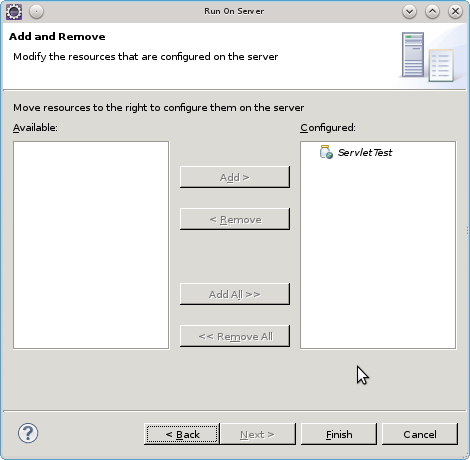
Press “Next >” and make sure that the ServletTest servlet is configured to run on the server:
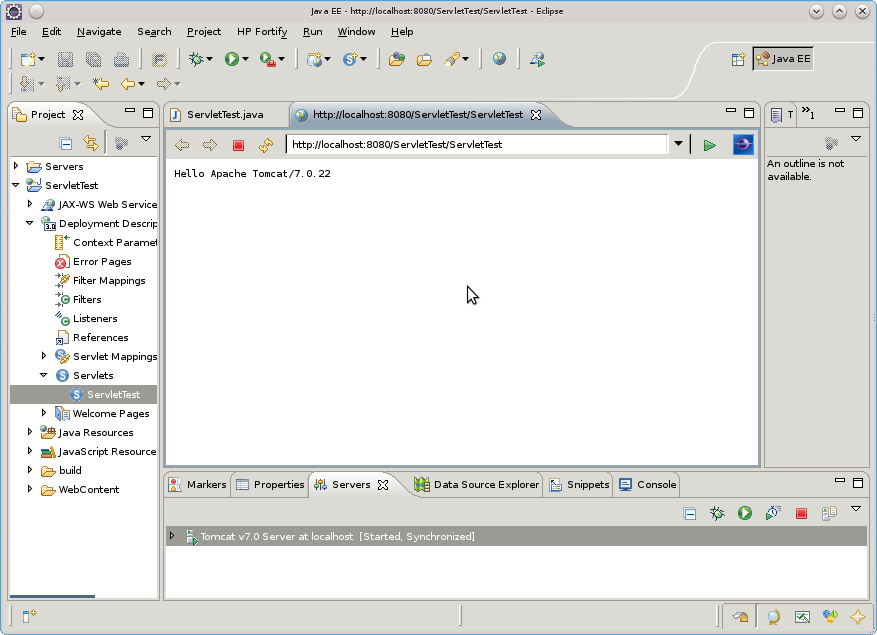
The servlet properly prints out the server information:
Now, try out the other application servers which we have configured earlier – simply choose a different server when running the servlet!