Setting up the Application Server: Glassfish
To install the Glassfish 4.0 application server (which is the reference implementation for JEE7), a recent version of the Glassfish Server Tools from Oracle Enterprise Pack for Eclipse is necessary. If you have installed earlier versions, uninstall them first. Then, for Eclipse Juno, install the latest package from https://download.oracle.com/otn_software/oepe/juno:
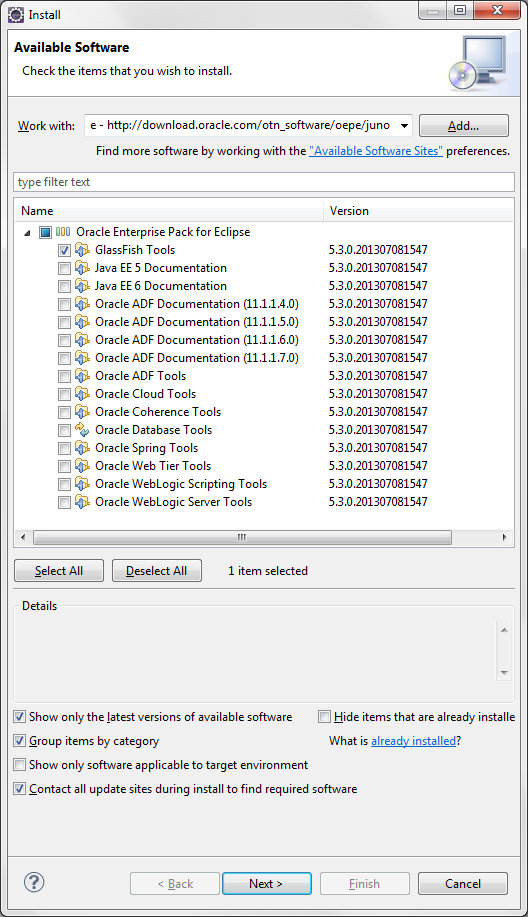
Press Next, accept the license agreement, and press Next to install the package.